Once you are logged into your webmail account, please follow these couple of steps to change your password.
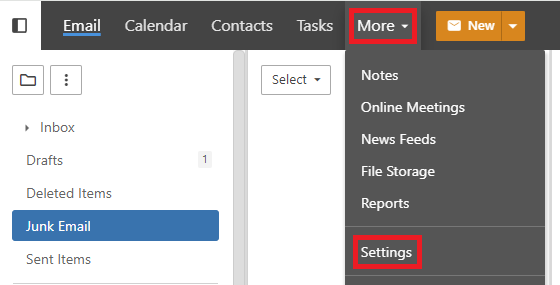
1. In the navigation menu across the top of the window, click on "More", then select "Settings".
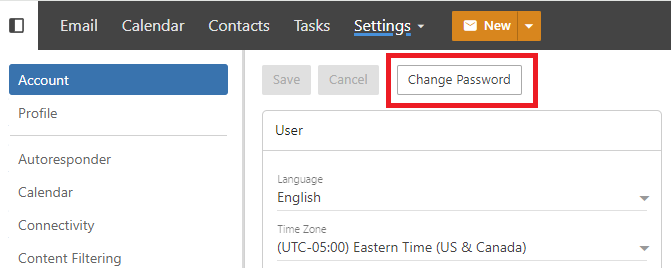
2. On the settings screen, you will see a button that says "Change Password". Click on the "Change Password" button and follow the instructions.
Was this article helpful?
That’s Great!
Thank you for your feedback
Sorry! We couldn't be helpful
Thank you for your feedback
Feedback sent
We appreciate your effort and will try to fix the article